Sometimes we get requests that people that has left the company, leaves a recurring event (in this case, a birthday entry), that invites everyone at the company and nobody is left as an owner.
The quickest way of getting the calendar that owns the entry, is to get the group email of the calendar invite:
Open an event, and click on the email icon:
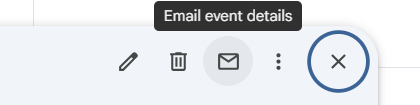
This will give you an email for the group:

Open up the calendar by replacing the ID in this URL:
https://calendar.google.com/calendar/u/0?cid=[email protected]
Check the owner/delete/change settings there